
When it comes to digital marketing, visibility is not just currency. It’s the only way to survive. And we aren’t even exaggerating.
If no one can see you, then you are not selling. As simple as that. For most store owners, SEO is the only sustainable way to achieve some visibility.
But to do search engine optimization, you’ll need good software. Still, it's challenging to select the best SEO tools with the numerous options available on the market.
So, how do you pick one? That's exactly what this blog post is about.
And a little spoiler alert: We’ll also show you how you can improve your store’s optimization without even getting any paid software.
Why Care About Which SEO Tool You Use?
You'll quickly find that different SEO software is best suited for different tasks.
If you ask SEO experts, they’ll likely tell you that they use one platform for keyword research, another for competitor backlink analysis, and a third one for some other task. Why?
There are several reasons for that:
- Accuracy can differ. Different solutions have different data sets, which in turn affect the insights you gain. That’s why some people prefer Ahrefs for backlinks and Semrush for keyword research, for example.
- Features can also vary. If you are doing local SEO for your online business, you need different features compared to someone who is invested in link building.
- Some are easier to use than others. You don’t want to get stuck with a platform that requires a whole course and degree to figure out how to use it.
- Costs matter. With some solutions, costs add up quickly. Ideally, you should check whether there are tasks that free tools can cover. Additionally, it’s essential to understand the actual expenses for your SEO software before committing.
However, what matters more is how you use a tool, not the tool itself. You could be using Google Search Console and one more paid solution, and still achieve a better outcome than someone who is paying for numerous expensive platforms they hardly use.
That’s why let’s take a look at the things every e-store owner has to go over before picking optimization software.
4 Things to Consider Before Choosing Optimization Tools
1. Check What You Can Do for Free With Google Tools
Before you start paying for pricey SEO software, you can start small and use free Google alternatives like PageSpeedInsights, Google Search Console, Google Analytics, etc.
We recommend starting with PageSpeed Insights, as it has tons of essential information. By simply entering your website address, you can check your load speed, responsiveness, UX, mobile optimization, and other performance details.
All these are huge. Even though many think of SEO as keyword optimization, it’ll be useless if your website's key performance metrics are in “bad shape.”
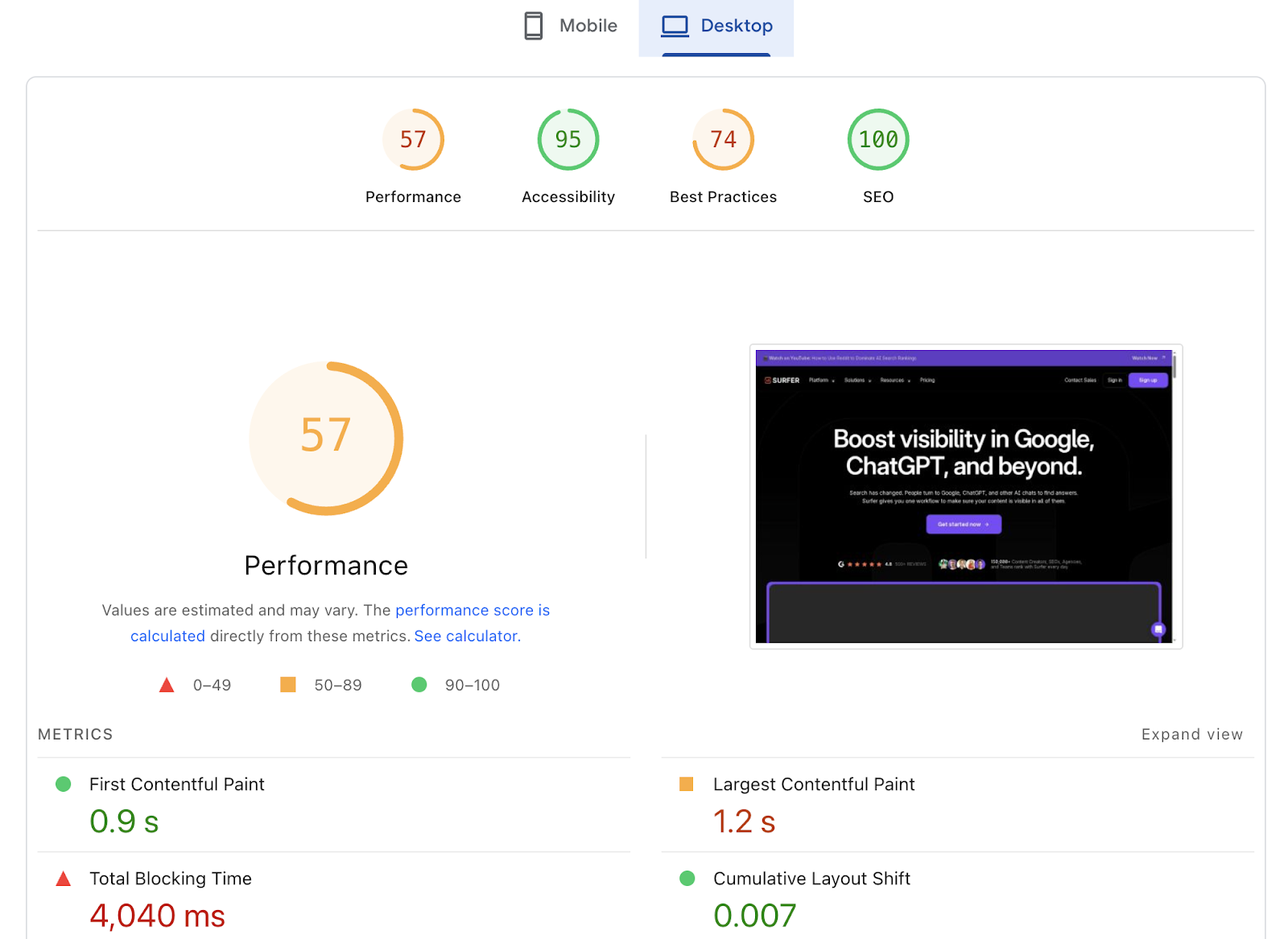
Source: PageSpeed Insights
Checking this is only the first step. Next, examine your primary issues and attempt to resolve them. You can do some of those tweaks by yourself, while others will require a developer.
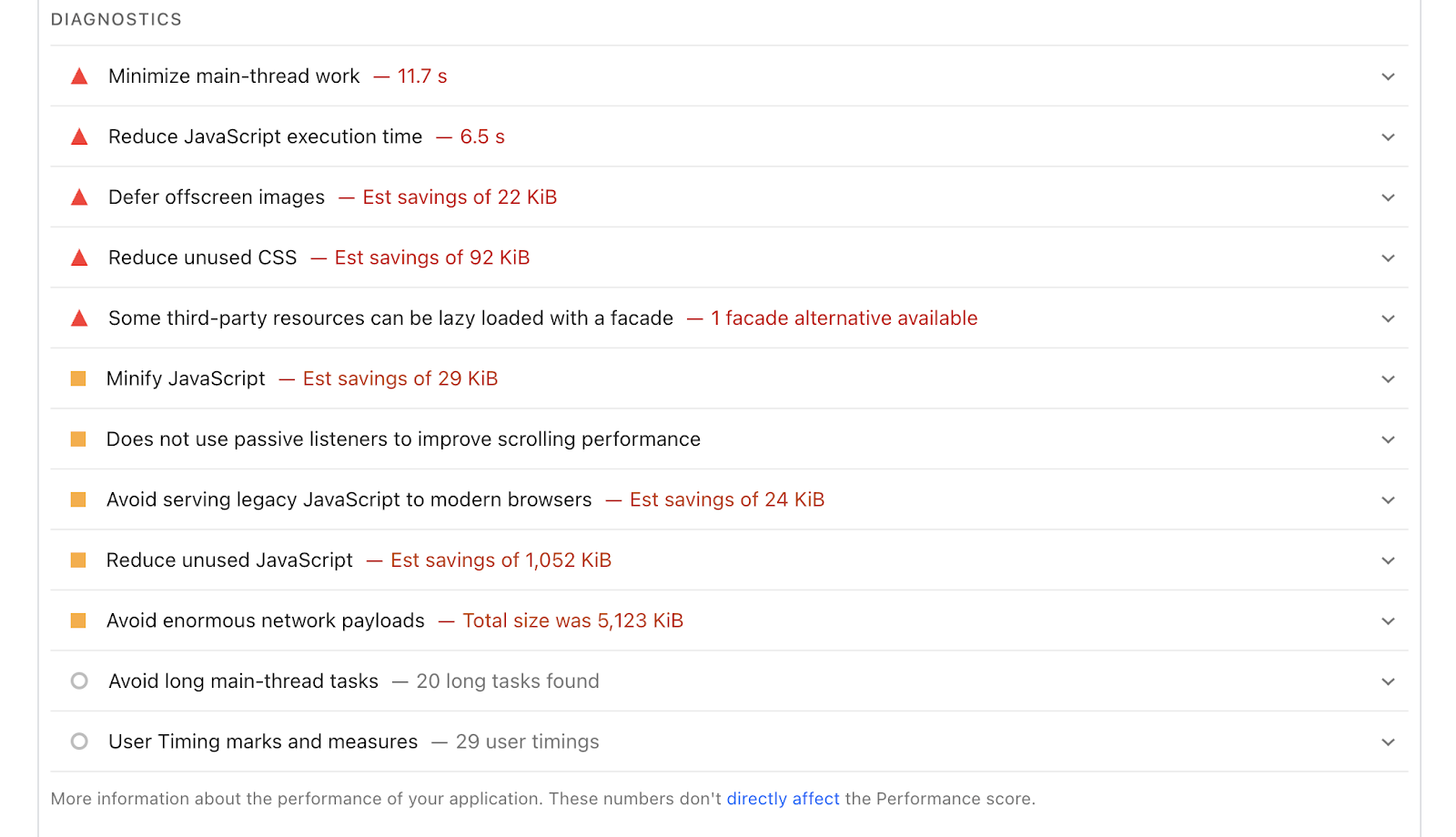
Source: PageSpeed Insights
As for the Google Search Console (GSC), it’s another extremely helpful software. By using it, you'll know exactly what Google “thinks” about your store, as you can:
- Monitor your site’s performance in SERPs.
- Know when pages are not indexed and find the issues so you can fix them.
- Submit new sitemaps.
- Set up alerts for crawl errors.
- Know what keywords your site is ranking for in search results.
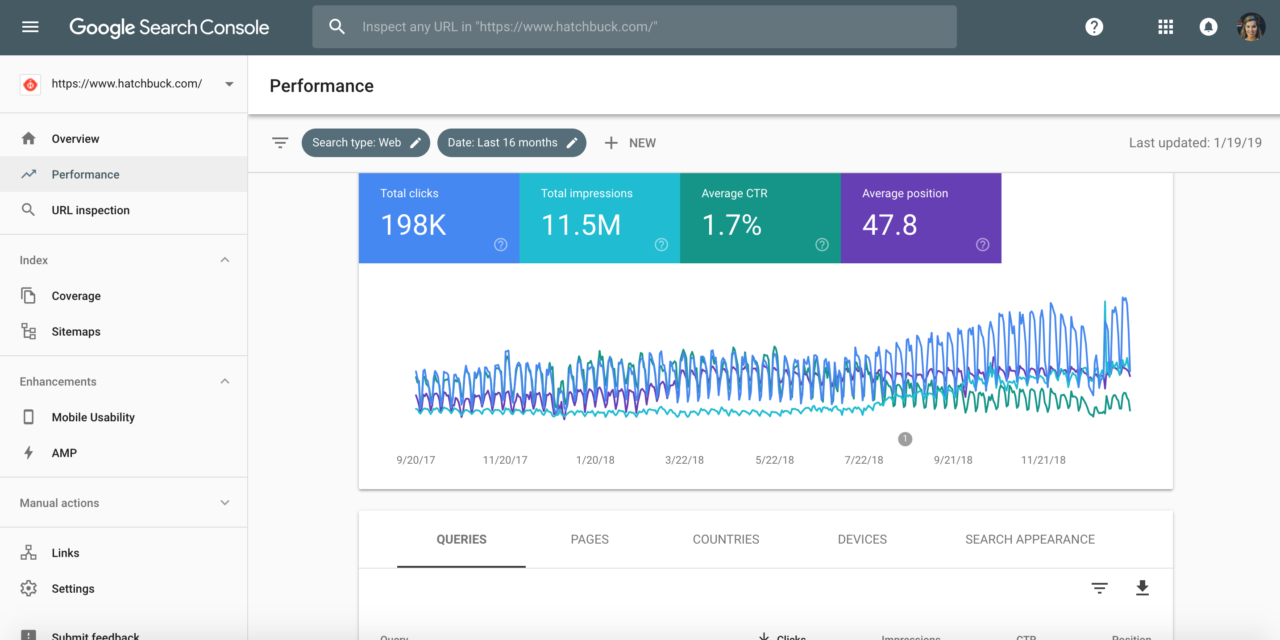
Source: Benchmark One
As for Google Analytics, it gives you a complete picture of how people find you and who your audience is. With GA, you can see:
- Demographics of your audience and the devices they use.
- Your traffic sources (including the most profitable ones).
- Your conversion funnels and the steps of the checkout process.
- Customer journey and how they move through your store (limited, but available).
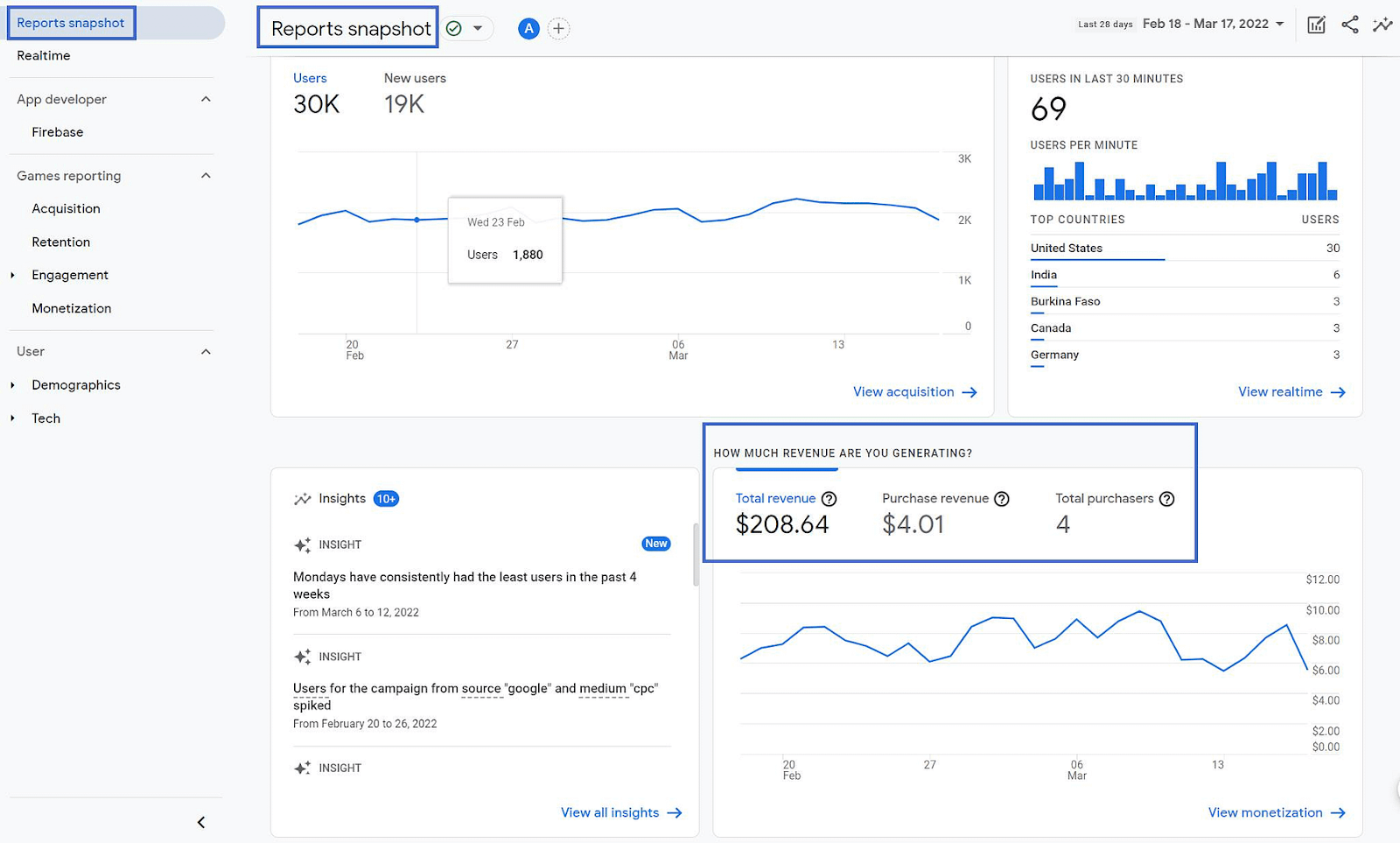
Source: Theme Isle Blog
GA is one of those SEO tools for eCommerce that gives you all the basic info on your audience so you can target them more effectively. After all, Google owns the search engine market for a reason.
Not to mention that you need this data to get personalization right. The very thing that helps you increase retention rates and turn one-time customers into loyal clients.
2. Add Schema Markup to Your Site
You’ve definitely seen online stores having all these fancy elements next to their pages in search results. Maybe you are one of those stores:)
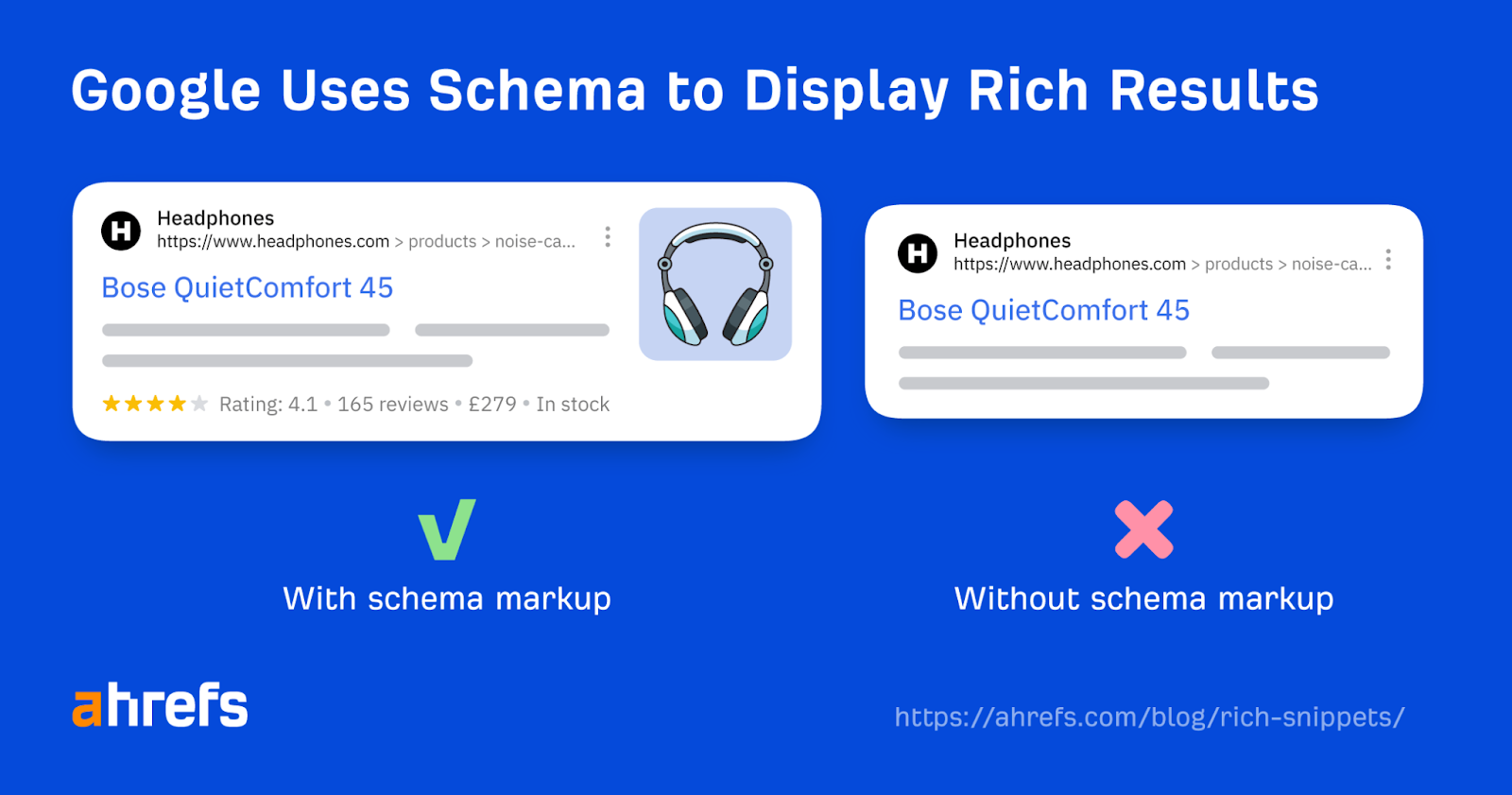
Source: Ahrefs
These are called rich snippets. You can also add them to your site if you master schema markup. It’s basically a code that makes it easier for search engines to both find your content and actually “understand” what it’s all about. So, it can result in:
- Better visibility thanks to rich snippets (extra useful details).
- More clicks since they are useful for catching attention.
- Improved UX because it’s easier for visitors to quickly find what they need.
If you don’t have any technical skills, all this schema markup can sound complicated. But it’s not that hard. Because these days, your CMS plugins can do most of the work for you.
Often, they generate a schema and update it automatically. Therefore, simply select a plugin that matches the CMS you are using.
To ensure your code is displayed correctly, you can use a free Google Rich Results Test. Simply copy-paste your code or your website URL, and you’ll see whether it’s actually working.
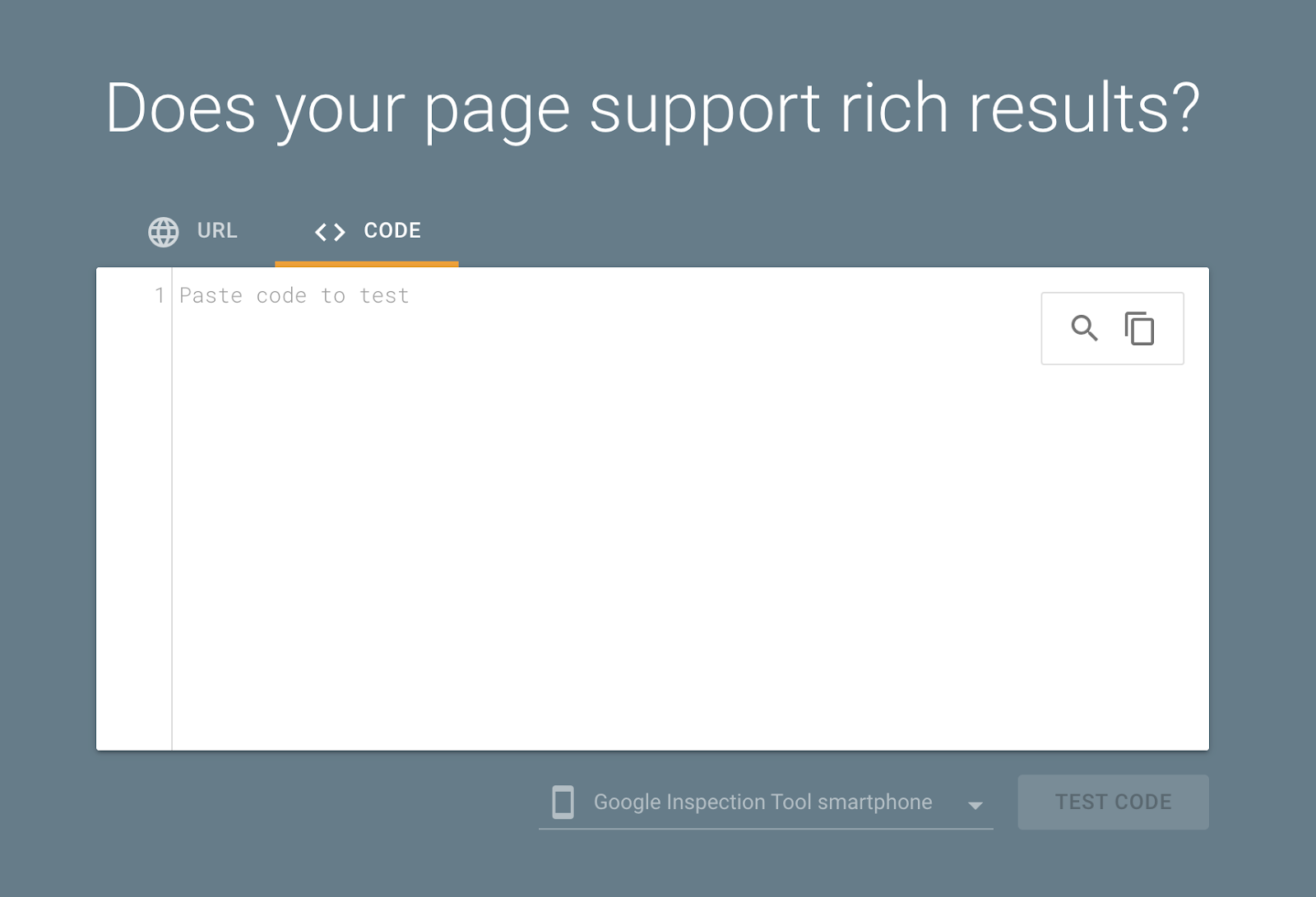
Source: Rich Results Test
3. Improve Your Local SEO
Probably you already know that “near me” searches outnumber other types of online queries and drive the most traffic. So, people who take local SEO seriously are ahead of the game.
And here’s how you can do that too:
- Set up your Google Business Profile page and make sure all data is not only relevant but also updated accurately.
- Target local keywords, preferably long-tail, low-competition, and question-based ones.
- Create blog posts with those keywords and include them in your FAQs.
- Get local backlinks with guest posting, local citations, and directory listings.
Even when you do all of the above, achieving the results you want will take time.
However, it’s worth investing in this, as it will ultimately help you attract more high-quality traffic to your site and boost your conversion rates.
4. Find the Right Strategy for You
Simply choosing an SEO software solution won’t yield significant results unless you have a clear strategy in place.
First, consider your primary goals. Getting more traffic? Overall visibility? Improving your conversion rates? Expanding globally?
Each of those objectives will require a different set of tactics and tools.
For example, the Commerce brand below didn’t do any content marketing, so they weren’t ranking for many keywords. That’s why they decided to focus on their blog content and choose SurferSEO for this.
As a result, they got a 3,403% increase in keyword rankings in 9 months.
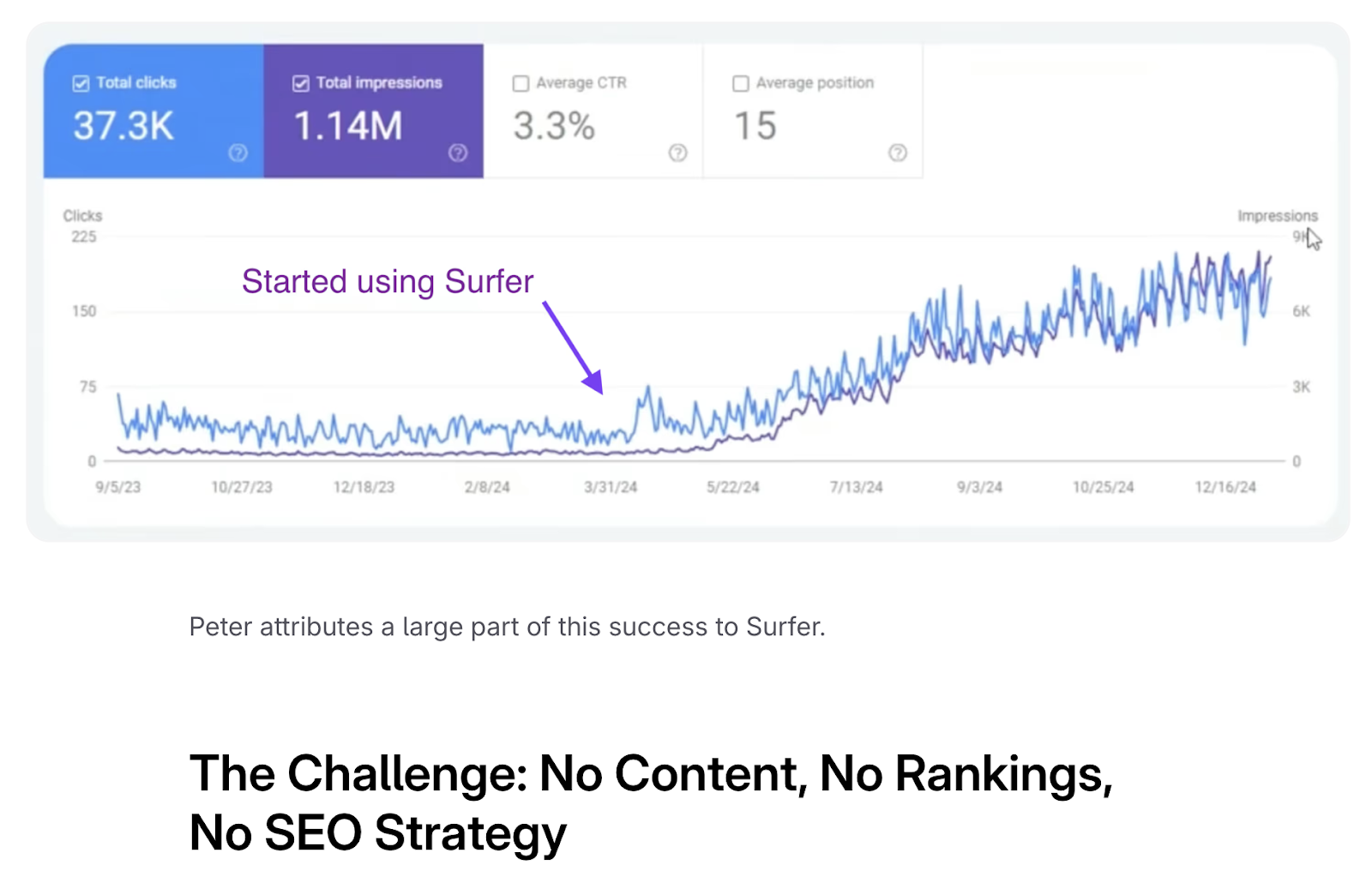
Source: SurferSEO
Meshki, another online store, had different objectives. They wanted to attract the UK customers in addition to their Australian and American audiences. Basically, they needed the UK traffic. So, they used AIOSEO and focused on the following tactics:
- First of all, they chose a .uk domain to signal their geo to search engines.
- They used review snippets to attract more attention to their pages in SERPs (yes, it’s that schema markup we’ve mentioned above).
- Focused on their branded keywords since they were already a well-known brand in other locations.
- Gained high-quality backlinks to make their website trustworthy in Google’s “eyes”. As you know, doing at least some link building is critical for great rankings. But you can adjust the number of links, depending on the goals you have.
As a result, they increased their traffic by 589% in just 3 months.
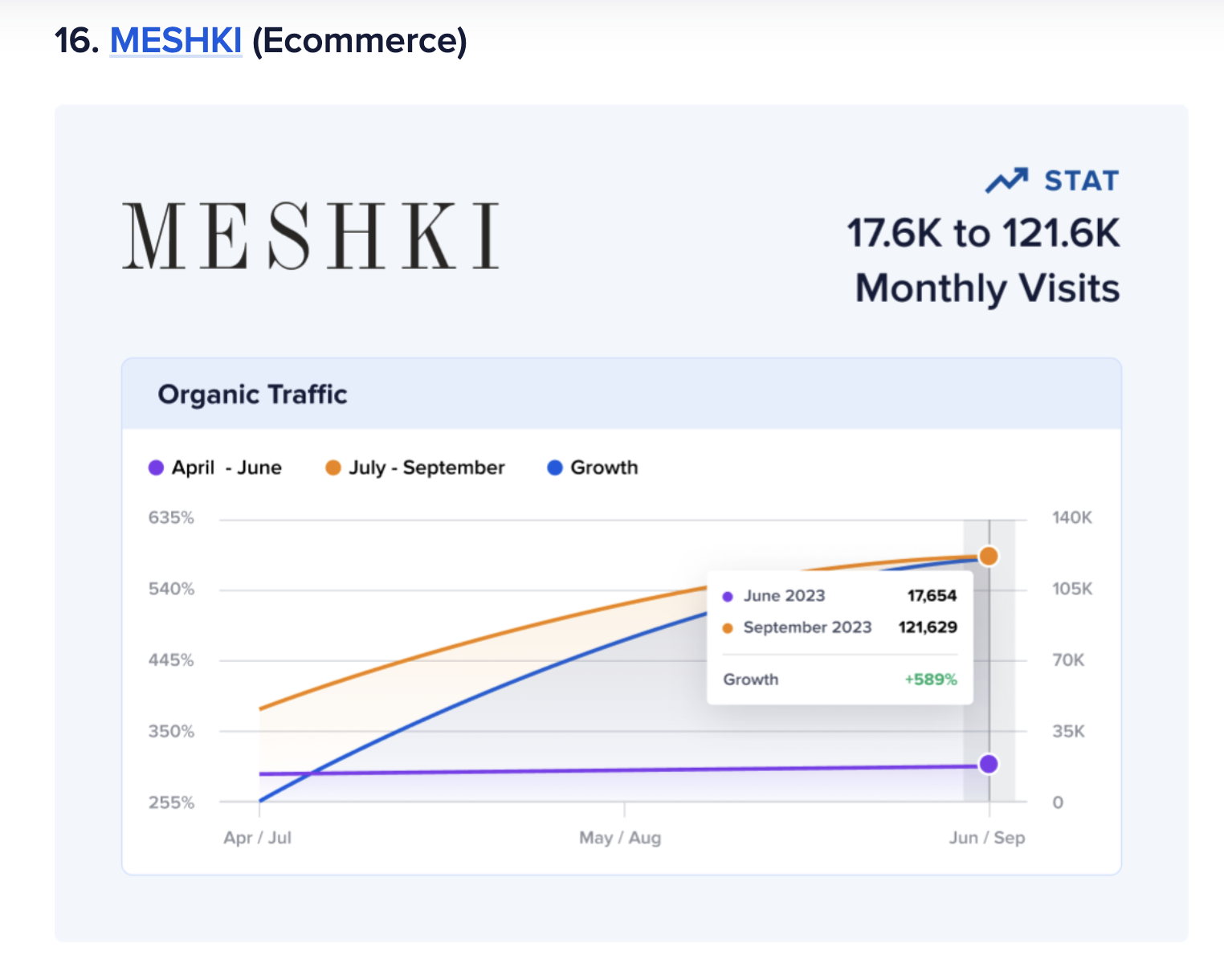
Source: AIOSEO
How to Pick the Best SEO Software for Your Store
Now, after you know everything we’ve mentioned above, it’s much easier to make an informed decision about the tool you actually need.
This is the approach you could try:
- Find the gaps you can’t cover with free software and list them.
- Check the platforms that cover that (preferably with cheaper plans). Sometimes, you can only access particular features with more expensive tiers, so pay attention to this.
- Make sure to check Reddit and other forums for real reviews and use cases. Trustpilot and G2 might not be enough.
- Pay attention to the add-ons you need with each solution.
- Specifically, prioritize SEO software that has case studies with e-commerce brands. Because different niches have different needs. And if a tool works well for another e-store, there is a higher chance that it will work for you.
And of course, before you commit to annual plans, schedule demos.
If you’re going for free trials, contact the support and customer success teams if you aren’t sure. The point of those trials is not to just try different solutions superficially. The real point is to find out whether a platform really covers all your needs.
It will be much harder to switch between software later on, so be picky.
Conclusion
SEO is kind of like being in a committed relationship. It takes time, and you’ve got to put in effort. Still, it’s worth it.
You just have to make sure you’re using the right SEO strategy and the right web SEO software. The rest will fall into place (sooner or later).
And most of the time, it has nothing to do with paying for a billion tools or doing what everyone else is doing.